DIY Photo Organising – Détails, épisodes et analyse
Détails du podcast
Informations techniques et générales issues du flux RSS du podcast.
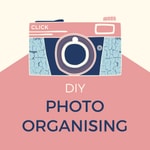
DIY Photo Organising
Fiona McLauchlan and Chantal Imbach
Fréquence : 1 épisode/22j. Total Éps: 120

Classements récents
Dernières positions dans les classements Apple Podcasts et Spotify.
Apple Podcasts
🇩🇪 Allemagne - howTo
03/06/2026#81🇩🇪 Allemagne - howTo
02/06/2026#52🇩🇪 Allemagne - howTo
01/06/2026#43🇨🇦 Canada - howTo
19/05/2026#97🇨🇦 Canada - howTo
18/05/2026#75🇨🇦 Canada - howTo
17/05/2026#59🇨🇦 Canada - howTo
16/05/2026#35🇨🇦 Canada - howTo
13/05/2026#84🇨🇦 Canada - howTo
12/05/2026#57🇺🇸 États-Unis - howTo
12/05/2026#78
Spotify
Aucun classement récent disponible
Liens partagés entre épisodes et podcasts
Liens présents dans les descriptions d'épisodes et autres podcasts les utilisant également.
See all- https://www.dropbox.com
76 partages
- https://www.ancestry.com/
59 partages
Qualité et score du flux RSS
Évaluation technique de la qualité et de la structure du flux RSS.
See allScore global : 43%
Historique des publications
Répartition mensuelle des publications d'épisodes au fil des années.
112 | Photo management resources packed with fabulous ideas
vendredi 30 août 2024 • Durée 18:58
For years, our industry has celebrated September as Save Your Photos Month, dedicated to photo preservation and management. Throughout the month, professionals host free events covering various topics to help you protect and organise your photos.
This year, The Photo Managers are thrilled to offer exciting YouTube LIVE events twice a week, along with locally hosted gatherings by professional photo organizers around the globe. Don’t miss out on this opportunity to receive free training and join a fantastic community!
Be sure to sign up here for reminders and updates about upcoming SYPM events.
As Fiona completes her studies and final exams, and with Chantal traveling for a few months, our podcast will be on a brief hiatus. We’ll return refreshed early next year.
In the meantime, we encourage you to make the most of Save Your Photos Month (sign up for free here) and explore our partners’ courses. Why not take this time to upskill and learn something new to better manage your photos? There’s something for everyone, whether you're looking for a short or a comprehensive course. Check them out here.
Mentioned Links
Related episodes
Episode 002 Golden Rule 1 - Backup
Episode 005 Golden Rule 4 – Sort and Organise (Part 1 – Digital Photos)
Episode 006 Golden Rule 4 – Sort and Organise (Part 2 – Printed Photos)
Episode 007 Golden Rule 5 – Do Something!
Episode 008 Create a Yearly Photobook
Episode 016 Keep photos safe while travelling
Episode 017 What does a Photo Organiser do?
Episode 024 Transferring photos from iPhone to Windows PC
Episode 026 Will your Photos survive a Disaster?
Episode 034 Storytelling with Your Photos with Mara Morrison - The Filing Fairies
Episode 037 Exploring Genealogy with Caroline Guntur - The Swedish Organizer
Episode 038 Learn how to take photos you will want to keep! with Lauren Sandford- The Eternal Second
Episode 045 Questions People Ask 3 How do I add tags in Windows Explorer?
Episode 054 How to Design your 2020 Year Book
Episode 055 Questions People Ask 7 How do I take memorable Christmas Photos?
Episode 056 2021 Trends in Photography
Episode 057 Story Jotting with Katie Chambers- Memories to Legacy
Episode 058 Time to get your Backup sorted!
Episode 067 DIY Photo Organising Courses with Miss Freddy, Adam Pratt and Caroline Guntur
Episode 069 Photo traditions to document growth and change
Episode 072 Which 100 photos would you choose to document your life?
Episode 073 What is Save Your Photos Month?
Episode 075 A listener’s photo journey - with Lisa Johnston - listener
Episode 082 Planning Photo Projects
Episode 088 Expert tips on photo archiving with Kate Jacus - The Photo Curator
Episode 094 What’s A Photo Without Story with Hazel Thornton – Organized for Life and Beyond
Episode 101 Design Photo Books like a Pro with Libby Jeffery - Momento
Episode 102 Is using only a folder structure outdated?
Episode 104 Photo Project Ideas and a Real Life Example
If you have any photo-related questions we haven't answered yet in one of the previous episodes, please don't hesitate to share them with us via the Wishlist for Future Episodes!
We invite you to have a look through our DIY Photo Organising Courses so you can decide which of these courses might be what you need to help you move forward with your photo organising projects.
If you’d like to learn more about us, go to:
Fiona Staff’s website: www.photohelper.com.au or
Chantal Imbach’s website: www.photosinorder.com.au
If you are not in Melbourne and would like to explore having a Photo Manager help you, check out www.thephotomanagers.com to find help closer to home.
Some links might be affiliate links
111 | What can I do with all my videos?
vendredi 12 juillet 2024 • Durée 44:09
Today we are going to talk about identifying, converting and managing videos and home movies. Videos are of course part of our collection, and we feel is very important for us to do an episode just on videos – so we brought in and expert to explore this topic with us: Adam Pratt from Chaos to Memories.
Regular listeners might remember Adam from previous episodes, and you might also remember that we love his courses*, about which we talked in episode 67. He has added new ones in the meantime and we highly encourage you to check them out.
Adam loves people, photography, and a good story. After working at Adobe for 22 years he founded Chaos to Memories which is a professional photo and video preservation studio in Chicago. He’s also the author of the best-selling book, Declutter Your Photo Life about which we talked in episode 92.
Today, we will talk about videos and movies specifically because photos and movies are of course similar but different.
We are not only discussing and listing what to gather when you want to tackle this project, we also talk about preserving - which is the conversion from old to new media (check out episode 42) - and decluttering.
Finally, we chat about the fun part once everything is organised. And yes, we agree with Adam in saying that we recommend culling the unnecessary and unneeded videos, sorting them and adding some metadata before starting to create projects. It will be so much easier and so much fun!
Mentioned Links
Related episodes
Episode 003 Golden Rule 2 – Know Your Why
Episode 004 Golden Rule 3 – Create a Hub
Episode 007 Golden Rule 5 – Do Something!
Episode 024 Transferring photos from iPhone to Windows PC
Episode 042 What format is that? Converting Old Media to Digital with Adam Pratt- Chaos to Memories
Episode 067 DIY Photo Organising Courses with Miss Freddy, Adam Pratt and Caroline Guntur
Episode 082 Planning Photo Projects
Episode 092 Declutter Your Photo Life with Adam Pratt - Chaos to Memories
If you have any photo-related questions we haven't answered yet in one of the previous episodes, please don't hesitate to share them with us via the Wishlist for Future Episodes!
We invite you to have a look through our DIY Photo Organising Courses so you can decide which of these courses might be what you need to help you move forward with your photo organising projects.
If you’d like to learn more about us, go to:
Fiona Staff’s website: www.photohelper.com.au or
Chantal Imbach’s website: www.photosinorder.com.au
If you are not in Melbourne and would like to explore having a Photo Manager help you, check out www.thephotomanagers.com to find help closer to home.
*affiliate link
102 | Is using only a folder structure outdated?
vendredi 1 septembre 2023 • Durée 35:34
The short answer is: No, it seems it is not outdated!
Findings from a recent survey we conducted amongst our listeners showed that using a simple folder structure as opposed to a photo management program is not as out of fashion as we might have thought.
Listen in to find out
- where people store their digital photos,
- how they structure their folders of their photo collection and
- which programs they use to manage them.
We also respond to some comments and questions such as what to do when running out of storage space on your computer, or if you’d rather not use the cloud and many more.
We were especially pleased to hear from multiple listeners that they have put the 3-2-1 backup system in place - bravo! If you haven’t got a system in place yet, check out our episode Episode 002 Golden Rule 1 - Backup.
Mentioned Links
Access a prepared folder structure and download for free here
Related episodes
Episode 005 Golden Rule 4 – Sort and Organise (Part 1 – Digital Photos)
Episode 006 Golden Rule 4 – Sort and Organise (Part 2 – Printed Photos)
Episode 023 5 Steps to get you Started NOW
Episode 046 Questions People Ask 4 What is your take on Photo Sticks?
Episode 049 How to Stop Procrastinating about your Photos
Episode 063 The Magic of Maintenance
Episode 089 5 tips for sorting printed photos
Episode 096 The Apple Ecosystem with Paul Einarsen – Blue Water Imaging
If you have any photo-related questions we haven't answered yet in one of the previous episodes, please don't hesitate to share them with us via the Wishlist for Future Episodes!
We invite you to have a look through our DIY Photo Organising Courses so you can decide which of these courses might be what you need to help you move forward with your photo organising projects.
If you’d like to learn more about us, go to:
Fiona Staff’s website: www.photohelper.com.au or
Chantal Imbach’s website: www.photosinorder.com.au
If you are not in Melbourne and would like to explore having a Photo Manager help you, check out www.thephotomanagers.com to find help closer to home.
013 | Scan or Not to Scan
jeudi 28 mars 2019 • Durée 38:40
012 | Fabulous Photo Gift Ideas
vendredi 22 mars 2019 • Durée 23:52
011 | KonMari Your Photos?
vendredi 8 mars 2019 • Durée 33:53
010 | Understanding Google Photos
vendredi 22 février 2019 • Durée 29:04
009 | Understanding Photo Metadata
vendredi 8 février 2019 • Durée 34:36
008 | Create a Yearly Photo Book
vendredi 25 janvier 2019 • Durée 29:18
007 | Golden Rule 5 Do Something!
samedi 12 janvier 2019 • Durée 20:54
Podcasts Similaires Basées sur le Contenu